
How to play Mirror Pixels
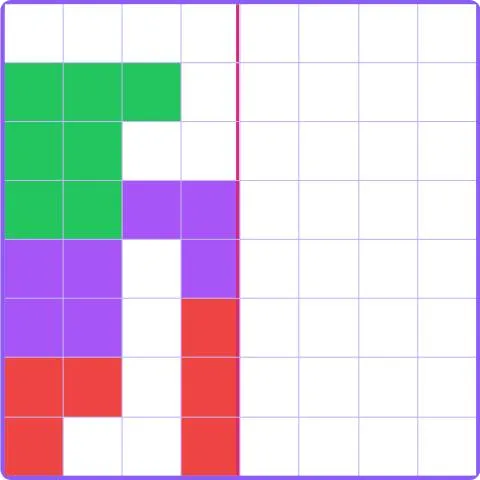
- On Easy, Medium and Hard, the left half of a pixel picture is given.
- Paint the right half as its mirror image: each square copies the one at the same distance from the blue center line.
- Pick a color, then tap or drag over the squares. Use the eraser to fix a mistake.
- The game ends as soon as the mirror is perfect. Check tells you how many squares still differ.
- In Free drawing, everything you paint is mirrored automatically. Press Finish when you are done.
Tips
- Work row by row, starting next to the center line.
- Count squares from the line: three squares left means three squares right.
- Drag your finger to paint several squares of the same color quickly.
- In Free drawing, try faces, butterflies and spaceships: symmetry makes them look great.
About Mirror Pixels
Mirror Pixels combines pixel art with symmetry. Completing a mirror image trains spatial reasoning and attention to detail, and the free mode turns it into a creative tool.
Every picture is generated with random colored shapes. Three sizes go from 8 x 8 to 16 x 16, plus a free drawing mode.
Points and badges
Finishing a game of Mirror Pixels earns points for your level. Four badges are waiting in this game, from bronze to diamond: each one says what to do and adds bonus points.
Questions
Where is the mirror line?
In the middle of the grid, marked by a blue line.
Does Check cost points?
A little: each check lowers the points of the picture.
Can I draw my own picture?
Yes, choose Free drawing: the mirror completes everything you paint.