
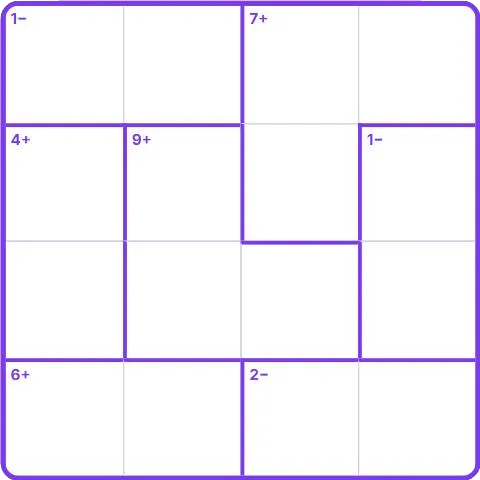
How to play Calcudoku
- Fill the grid so each number appears once in every row and every column, like a Sudoku.
- The grid is split into zones with bold borders. The small label in a zone gives its result and operation, like 7+ or 2÷.
- The numbers in each zone must produce that result with that operation.
- Tap a square, then a number. Use Notes to jot down possibilities, and Check to spot wrong numbers.
- Fill the whole grid correctly to win. Your best time is saved for each level.
Tips
- Start with single-square zones: they simply give you the number.
- A two-square zone with a large product often has only one possible pair.
- Subtraction and division zones only have two squares: test the few pairs that fit.
- Use Notes when a square can only take two values, and come back to it later.
- A red number means it repeats in its row or column.
- Undo (or Ctrl+Z) takes back your last move. Hint fills in the square you picked, or a square of the smallest zone. The diamond badge is for a fast grid with no Hint and no Check.
About Calcudoku
Calcudoku mixes the logic of Sudoku with simple arithmetic. It was popularized in Japan in the 2000s and has become a favorite of puzzle fans who like a little math in their logic.
Every grid is generated on the spot and checked to have exactly one solution. Four levels go from a 3 x 3 grid with additions only to a 6 x 6 grid using all four operations.
Points and badges
Finishing a game of Calcudoku earns points for your level. Four badges are waiting in this game, from bronze to diamond: each one says what to do and adds bonus points.
Questions
Does every grid have one solution?
Yes. A solver checks each grid when it is created, and only grids with a single solution are kept.
In which order do numbers go in a subtraction zone?
Any order: 3− means the bigger number minus the smaller one equals 3.
Is my best time saved?
Yes. Your best time is kept in your browser for each level.